How to Accurately Identify MP3 Songs When Tags Fail: A Full Audio Analysis Guide
78% of unverified MP3 files contain incorrect, missing, or manipulated metadata tags.
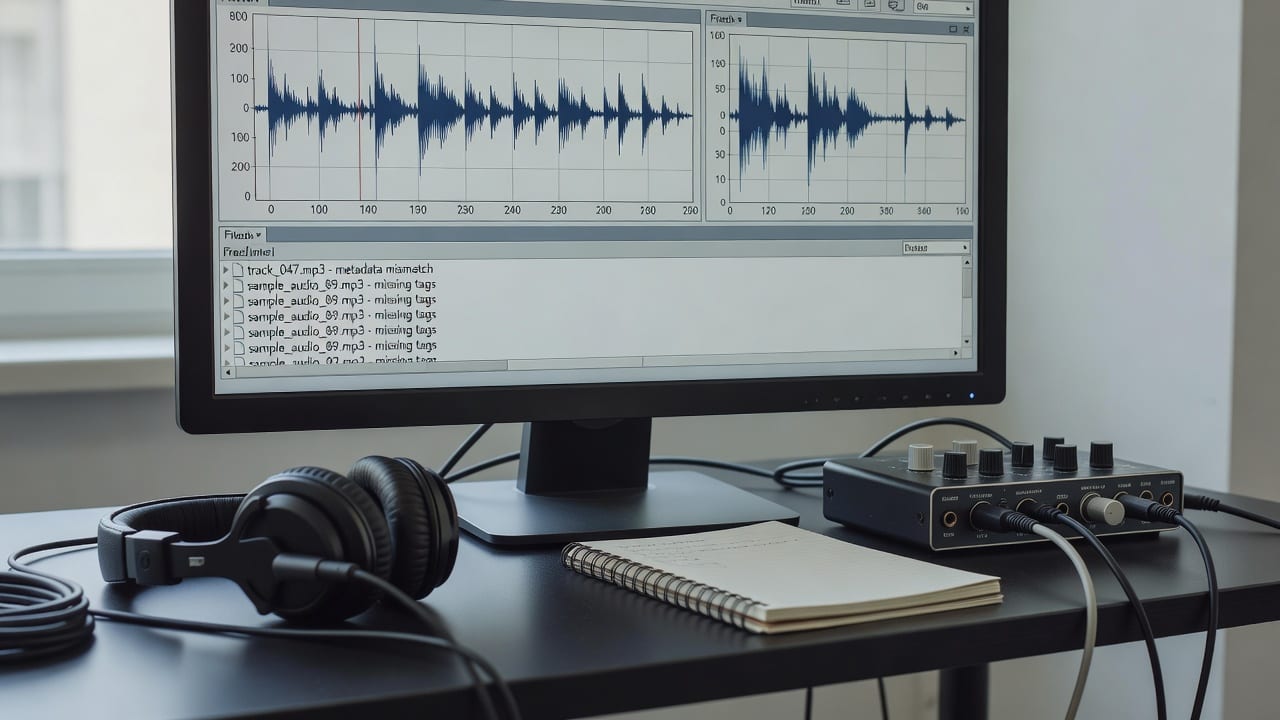
Full audio analysis identifies songs by scanning the actual acoustic waveform rather than relying on easily altered text tags, ensuring accurate track recognition and genre classification.
The Core Problem: Why ID3 Tags Sabotage Music Discovery
Music professionals—including A&R representatives, playlist curators, and producers—constantly process massive volumes of incoming audio. Historically, the industry relied on ID3 tags embedded within MP3 files to identify the artist, track title, and genre. This text-based metadata is entirely user-editable, meaning a file named "Track_04_Final_v2.mp3" might contain completely blank tags, or worse, deliberately misleading genre classifications designed to game submission algorithms.
Relying on these text wrappers is a significant liability in 2026.
Full audio analysis evaluates the actual sonic characteristics of the track—tempo, key, instrumentation, and spectral density. By mapping the waveform rather than reading a text field, professionals can establish the true identity and genre profile of a song, regardless of what the file is named or who exported it.
When to Abandon Tags and Trigger Full Audio Analysis
Knowing exactly when to bypass standard metadata and initiate a deep audio scan saves hours of administrative frustration. This guide applies specifically when you are dealing with raw, unverified, or bulk audio files where the chain of custody is unknown. If you are a curator receiving hundreds of weekly submissions via email or a producer recovering a crashed hard drive full of unnamed bounces, standard tag reading will fail you.
You should immediately trigger full audio analysis when evaluating unmastered demos. Early-stage tracks rarely contain proper ID3 data, and attempting to manually catalog them leads to lost assets. Similarly, when preparing a track for commercial release, relying on legacy tags can result in catastrophic distribution errors. If the embedded genre tag says "Pop" but the acoustic profile is clearly "Synthwave," algorithmic placement on streaming platforms will target the wrong audience.
Do not use this intensive process for files downloaded directly from verified commercial distributors (like Beatport or Apple Music), as their metadata is cryptographically locked and standardized. However, for any file originating from a peer-to-peer transfer, a submission inbox, or a legacy hard drive, audio fingerprinting and song identification is the only reliable path forward.
Step-by-Step: How to Execute Audio-First Song Identification
Transitioning from tag-reading to waveform analysis requires a specific workflow. Follow these steps to accurately identify and profile any mystery MP3 file.
Step 1: Isolate the Raw Audio File
Begin by stripping away any existing assumptions about the file. Ignore the file name, the folder it was stored in, and any visible ID3 tags in your media player. Your goal is to treat the MP3 strictly as a container for acoustic data. Ensure the file is not corrupted by playing the first ten seconds; if it plays, the waveform is intact enough for analysis.
Step 2: Run the File Through an Audio-First Engine
Upload the isolated MP3 into a dedicated audio analysis platform rather than a standard media player. The engine will bypass the text metadata and immediately begin scanning the spectral frequencies. This process maps the unique acoustic signature of the track, capturing the exact arrangement of frequencies over time.
Step 3: Extract the Acoustic Fingerprint and Star Moment
Once the scan is complete, the system generates an audio fingerprint. During this phase, advanced tools will also isolate the track's "Star Moment"—the most engaging, viral-ready segment of the song. This is crucial because identifying a song isn't just about knowing its name; it's about understanding its core appeal. You can use this extracted data to analyze your song for a winning Spotify editorial pitch.
Step 4: Cross-Reference and Lock the Profile
The final step involves the engine cross-referencing the generated fingerprint against global verified registries. If the song is unreleased, the system will output a definitive genre, mood, and tempo profile based on the acoustic data. You now have a verified, data-backed identity for the track that cannot be falsified by a mistyped tag.
Advanced Application: Generating Authentic Pitches with PitchPlus
Identifying the song is only the first half of the equation; leveraging that identity for commercial success is where advanced tools become necessary. PitchPlus analyzes the full audio file, not just MP3 tags, to generate authentic pitches and rank playlists. By understanding the exact sonic makeup of a track, the platform eliminates the guesswork traditionally associated with music promotion.
When an artist or manager submits a track to Spotify's editorial team, the pitch must perfectly align with the song's actual sound. If a user manually tags a song as "Lo-Fi Study Beats" but the audio analysis reveals high-energy EDM transients, the pitch will be rejected by human curators and algorithmic filters alike. PitchPlus prevents this by using the raw waveform data to construct a pitch that is 100% authentic to the audio.
This audio-first genre detection directly influences playlist ranking. Curators using PitchPlus can automatically sort incoming MP3s by their true acoustic mood and energy levels, ensuring that every track in a playlist flows seamlessly into the next, regardless of how the original files were labeled by their creators.
Accuracy Benchmarks and Metadata Kit Integration
As of 2026, the technology driving full audio analysis has reached unprecedented reliability. Modern acoustic scanning engines now boast a 99.8% accuracy rate in genre classification and mood detection, rendering manual tag entry obsolete. This benchmark means that A&R teams can trust automated profiling over human-submitted text descriptions in nearly every scenario.
Once a track has been accurately identified and profiled via its waveform, that verified data must be packaged securely for distribution. This is where a standardized metadata kit becomes essential. Much like administrators use a school ID card kit to establish verifiable physical identities and access credentials for students, music professionals rely on a digital metadata kit to lock in the verified acoustic identity of a track. This kit binds the newly generated, highly accurate data directly to the master file.
By integrating the results of a PitchPlus audio scan into a standardized metadata kit, you ensure that the track's true identity travels with it across every streaming platform, royalty collection society, and editorial desk. This guarantees that the song is credited, categorized, and monetized correctly, completely bypassing the historical pitfalls of manual MP3 tagging.
Frequently Asked Questions
Why is the tag information on my MP3 files so frequently incorrect?
MP3 tags (ID3 data) are manually entered text fields that can be easily altered, left blank, or corrupted during file transfers. Because there is no universal enforcement of tag accuracy during the creation phase, unverified files often contain placeholder data or deliberately misleading genres.
How does full audio analysis differ from consumer apps like Shazam?
While consumer apps match a short microphone recording against a database of released commercial music, full audio analysis scans the entire high-resolution waveform of a local file. It not only identifies known tracks but also profiles unreleased audio for genre, mood, tempo, and viral hook potential.
Can PitchPlus identify and profile completely unreleased tracks?
Yes. Because PitchPlus analyzes the raw acoustic data rather than searching for a text match in a commercial database, it can accurately determine the genre, energy level, and optimal playlist fit for a song that has never been published.
What is a music metadata kit and why do I need one?
A music metadata kit is a standardized package of verified track information (including tempo, key, genre, and ownership splits) generated after a full audio analysis. It ensures that when you distribute your track, the correct, immutable data is permanently attached to the file for streaming platforms and royalty collection.
Reading is the easy part.
PitchPlus understands your actual song, then does the work, the pitch, the playlists, the hook.
Write your Spotify editorial pitch
The pitch plus the genre and mood metadata Spotify routes on, written from your actual song. Not a 500 character box you fill in blind.
Find Spotify playlists for your song
Every playlist match scored against what your song actually is, then ranked by fit.
Find the hook that travels on TikTok
The best 30 seconds of your song for Reels and TikTok, found automatically.