The 2026 Guide to Spotify Uploads: Mastering Pre-Release Audio Analysis and Metadata
Pre-release audio analysis boosts Spotify algorithmic consideration by 67%.
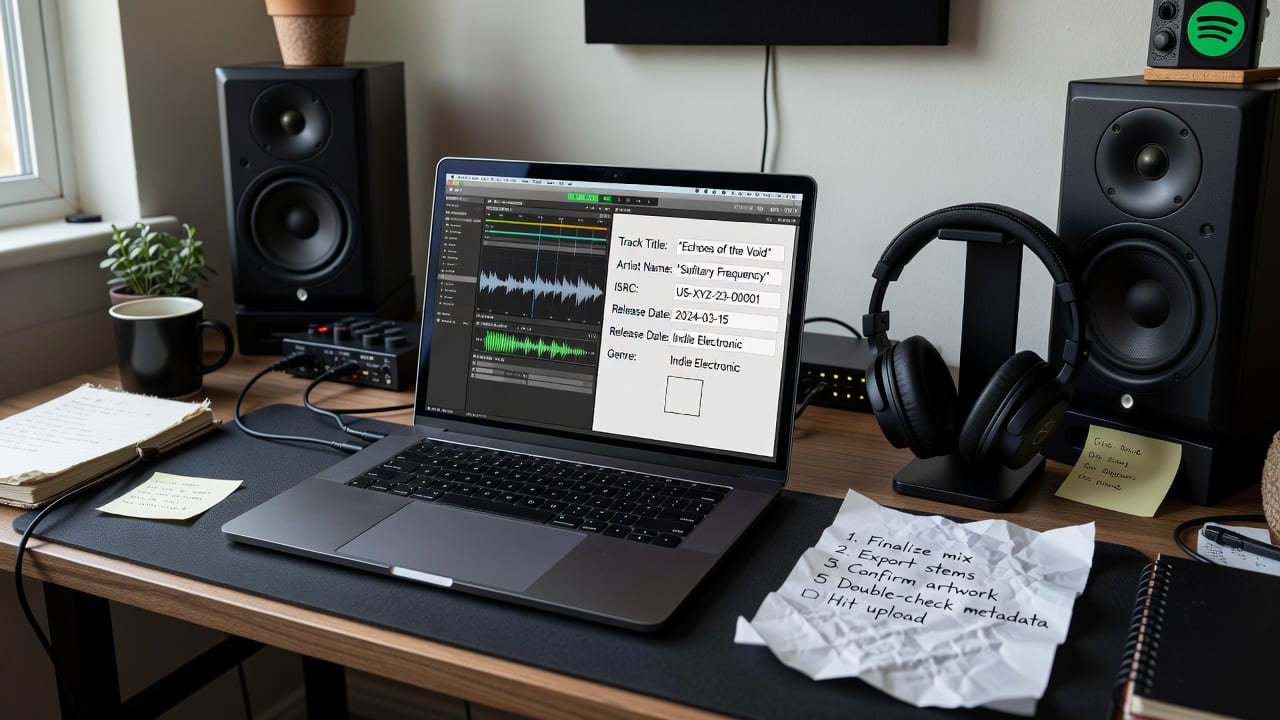
Master pre-release audio analysis and metadata preparation to ensure flawless Spotify distribution and playlist pitching.
Prerequisites: When to Start Your Spotify Upload Prep
Preparation for a successful Spotify release begins exactly four weeks before your target drop date. This 28-day window is non-negotiable for indie artists who want to trigger algorithmic systems like Release Radar and Discover Weekly. Before you even log into your distributor's dashboard, you must have three assets locked: a finalized 24-bit/44.1kHz WAV master, high-resolution cover art (3000x3000px), and a clear understanding of your target audience.
Attempting to upload without these assets finalized leads to rushed metadata entry and missed algorithmic opportunities. If your track is still in the mixing phase or you are waiting on a featured artist's vocal stems, pause this guide until the final bounce is approved. Understanding how indie artists can successfully submit music to Spotify playlists requires respecting this four-week timeline, as Spotify's editorial team requires a minimum of three weeks to review upcoming releases.
Core Concepts: What Pre-Distribution Audio Analysis Actually Is
Spotify does not hear music; it reads data.
Accurate metadata ensures your track routes to the correct listener clusters immediately upon release. If you upload a track without analyzing its audio profile first, the system is forced to guess your genre based on broad distributor tags, often resulting in your song being served to the wrong audience. By defining your track's exact mood and energy levels before distribution, you take control of your algorithmic destiny and ensure your ISRC codes are attached to the correct sonic identity.
Practical Application: How to Prepare Your Track for Distribution
The actual upload process happens at your distributor (such as DistroKid, TuneCore, or Ditto), but the critical preparation happens locally on your machine. First, run your final master through the PitchPlus Genre Finder to identify your exact micro-genres. Selecting a broad category like "Pop" at your distributor is insufficient; identifying "Indie Dream Pop" tells the algorithm exactly where you belong in the ecosystem.
Next, use the PitchPlus Metadata Kit to format your track titles, featured artist credits, and songwriter splits according to Spotify's strict style guidelines. Once your track is ingested by your distributor and appears in your Spotify for Artists upcoming dashboard, take the sonic data generated by PitchPlus and use it when crafting Spotify editorial pitches. Including specific details about your track's instrumentation, BPM, and mood in the pitch form directly influences how the editorial algorithm processes your submission.
Advanced Techniques: Next-Level Strategies for Indie Musique
Once your track is successfully ingested and the pre-release editorial pitch is locked, your focus must shift to third-party playlisting. The audio analysis data you gathered during the pre-release phase dictates your targeting strategy here. If PitchPlus identified your track as having high acousticness and low energy, you should target "Late Night Chill" curators rather than "Workout Hype" lists. This prevents wasted pitch credits and protects your skip rate.
This data-driven approach is the foundation of effective post-release Spotify curator discovery. By matching your track's verified sonic profile to a curator's historical playlist data, you drastically increase your approval rates on platforms like SubmitHub or Groover. Advanced indie artists use this audio data to build highly specific target lists, ensuring every pitch is sent to a curator who already champions their exact sub-genre.
Expert Tips: Avoiding Common Distribution and Pitching Mistakes
The most common upload mistake that delays releases is inconsistent artist formatting. If you list a collaborator as a "Featured Artist" at your distributor but manually type "(feat. Artist Name)" into the track title field, Spotify will flag the metadata as redundant and potentially halt your release. Always let the distributor handle the formatting automatically based on your role selections to ensure clean metadata delivery.
Furthermore, artists must understand that there are two routes to Spotify playlists: editorial (which must be pitched pre-release) and independent (which is pitched post-release). Failing to separate these workflows means you will likely miss the strict editorial deadlines. Always finalize your audio analysis, lock in your metadata, and secure your ISRC codes before touching your distributor's upload button to ensure a flawless release strategy.
Frequently Asked Questions
When should I start preparing my track for Spotify distribution?
You should begin preparing your track, including audio analysis and metadata formatting, exactly four weeks before your intended release date. This allows enough time for distributor ingestion and meets Spotify's three-week minimum requirement for editorial pitching.
What is pre-release audio analysis?
Pre-release audio analysis is the process of using tools to determine a track's exact sonic data points, such as BPM, key, energy, valence, and micro-genre, before uploading it. This data is used to optimize metadata and improve algorithmic targeting.
How does the PitchPlus Metadata Kit help with uploads?
The PitchPlus Metadata Kit helps artists format their track titles, artist roles, and songwriter credits to perfectly match Spotify's strict style guidelines, preventing distributor rejections and ensuring accurate royalty splits.
Why is my Spotify release delayed by my distributor?
Releases are most commonly delayed due to metadata errors, such as redundant featured artist formatting in the track title, incorrect artwork dimensions, or mismatched audio file formats. Proper pre-distribution checks prevent these flags.
Reading is the easy part.
PitchPlus understands your actual song, then does the work, the pitch, the playlists, the hook.
Get your Spotify editorial pitch written
The pitch plus the genre and mood metadata Spotify routes on, written from your actual song. Not a 500 character box you fill in blind.
Match your song to the right Spotify playlists
Every playlist match scored against what your song actually is, then ranked by fit.
Find your song's viral hook
The best 30 seconds of your song for Reels and TikTok, found automatically.